

When you’re a marketer or website owner , it can be difficult to stay on top of each and every update, bug or fluctuation that impacts a website.
Even more so, if you are running multiple sites simultaneously.
Keeping notes or creating spreadsheets is great, but it just adds to the endless amount of documents that you need to remember to use.
Why should you keep notes?
Let’s say that your website has problems taking payments for 2 days and inevitably your conversion rate plummets.
By having this documented, when reviewing your marketing efforts or whilst undergoing conversion rate optimization , you will easily be able to explain extreme fluctuations in your data.
Even knowing that by fixing a cross-browser issue lifted your sales by 10% would be so valuable when deciding on what to allocate resources to when optimizing a website.
One great (and free) tool for keeping a note of changes made on a website can be found in Google Analytics .
They’re called annotations and they’re very useful.
How to create an annotation in Google Analytics
Underneath the Explorer / Overview graph you will see a downwards arrow :
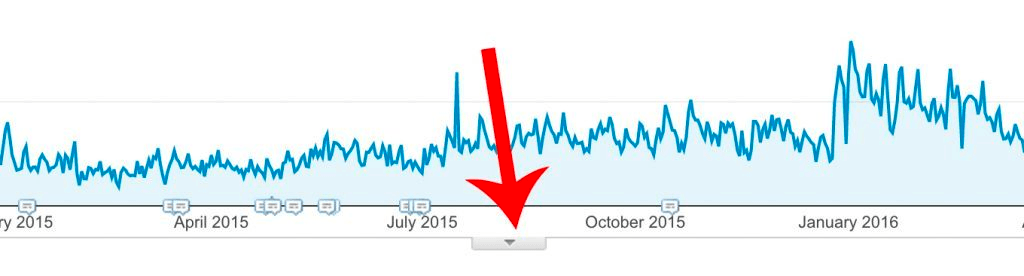
Click on it, and this will reveal any annotations that currently existing during your selected timeframe.
They will have either been created by you or shared with you by other people working on the account.
Next, you should see a link to “+Create New Annotation” . Click it.
The form will then be displayed to create your annotation :

You’ll be able to select the date to apply the annotation to (date ranges not possible), input the note to go with it (160 characters max) and whether or not you want this to just be visible to you or anyone that works on your analytics account.
You will also be able to “Favourite” them by clicking on the star. I use these to reference critical changes / issues on a website.
Once created you will see clickable speech bubbles on your timeline :
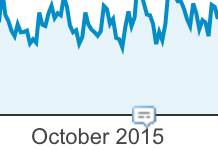
When you click them, the note will be displayed.
Having these types of notes to hand, especially in analytics is brilliant.
If you wanted to go into further detail about each point, you could create a seperate document, create an index in it and reference that from GA. But this really depends on what level of detail you require.
This is a simple yet very effective solution for keeping a log of changes.
With so many tools on the market, how do you keep notes for your website?